Adding and Removing Instant On! Time Slots The NetZero Instant On! feature automatically connects to the Internet and downloads your email and home page for easy access the next time you manually connect. These pages will appear while the Internet connection is being established meaning you do not have to wait to be completely online to read through your mail or home page. In order for this feature to run, you must select certain Time Slots when the computer will connect to download this information. To choose these connection Time Slots, access the main setup screen and follow the instructions below. Adding Time Slots: - Double-click the NetZero icon on your desktop
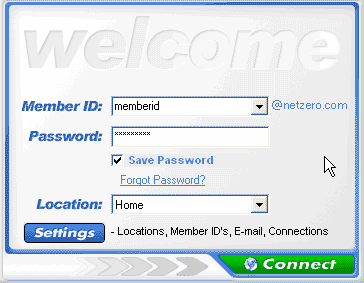
 - From the Welcome screen, click Settings.
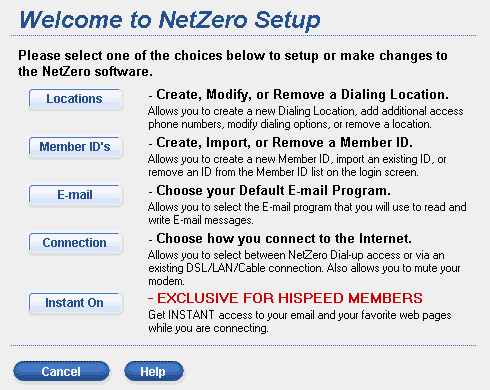
 - On the Welcome to NetZero Setup screen, click Instant On!.
 - In the box under Pick a Time, select a time period you want to add.
- Click Add.
- The selected time slot will appear under My Times.
- Repeat these steps for every time you want to connect through NetZero Instant On!.
Note: There is a maximum of 7 times that you can connect through the software.
Removing Time Slots
If you do not need NetZero Instant On! to collect information during all of the times you had previously specified, you can remove time periods from your list. - Double-click the NetZero icon on your desktop
- From the Welcome screen, click Settings.
- On the Welcome to NetZero Setup screen, click Instant On!.
- In the box under Pick a Time, select a time period you want to remove.
- Click Remove.
- Repeat these steps for every time you want to remove through NetZero Instant On!.
Back to the NetZero Instant On! Help Page
Back to the NetZero HiSpeed Index Page
| |




 My Password




