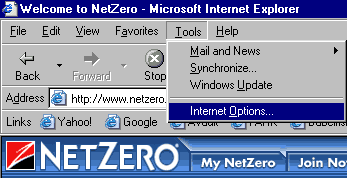
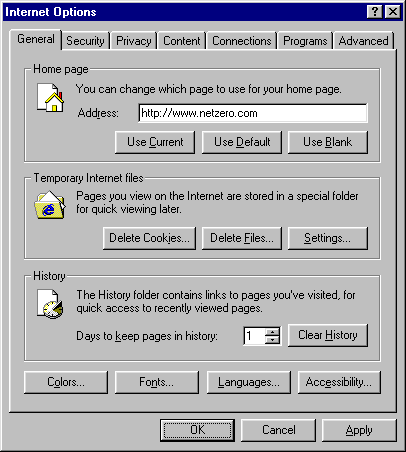
Microsoft - Internet Explorer
Clear the History Folder
Note: This may take a few minutes depending on how much disk space the folder occupies.




 My Password
 Billing and Usage History Payment and Account Info Update My Address Upgrade My Account Billing Questions Access Numbers Connection Issues Get NetZero Software Safety/Security Contact Us