

 Billing History & Billing History &
Account Info

My Password
Update My Payment Info
Update My Address
Upgrade My Account
Billing Questions
Access Numbers
Connection Issues
Email Questions
Get NetZero Software
Safety/Security
Contact Us
|  |
How do I activate Norton AntiVirus after installing it?
If you have installed Norton AntiVirus but were not able to activate it, double-click on the Norton icon on your desktop.
On the Software Service screen, select: I have already subscribed to Norton AntiVirus. Activate my software.
Enter your activation PIN in the My Service PIN field of the Norton AntiVirus Service Activation screen. (Note: your PIN is included in the Welcome letter you received after signing up for NetZero DSL service. If you can't find the letter, you can get your PIN by logging in to http://account.netzero.net/s/account )
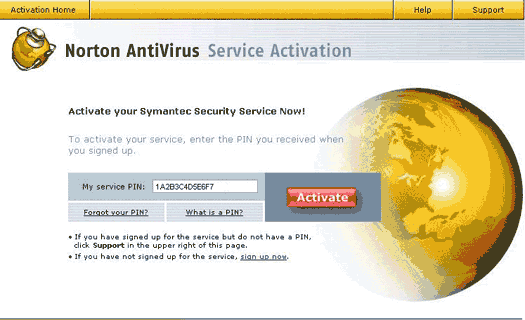
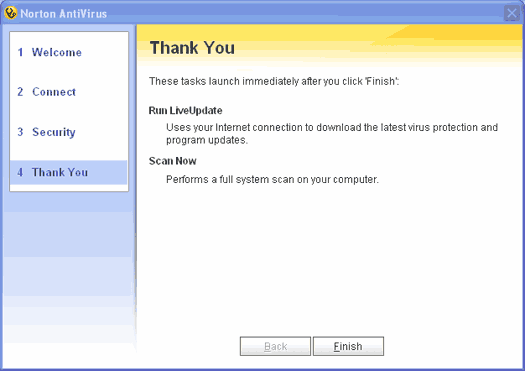
Once software activation process is complete, you'll be prompted to run LiveUpdate to update Norton AntiVirus and virus definitions.
If you need any further assistance, please click here for a list of available support options.
Return to Security Index
|
|






