

 My Password My Password

Billing and Usage History
Payment and Account Info
Update My Address
Upgrade My Account
Billing Questions
Access Numbers
Connection Issues
Get NetZero Software
Safety/Security
Contact Us
|  |
Email Setup - Netscape Messenger 4.7 - Open Netscape Messenger.
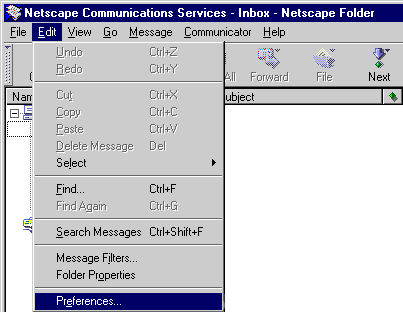 - From Edit menu select Preferences.
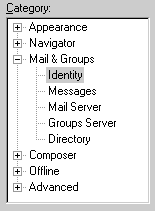 - Click the + next to Mail & Groups and select Identity.
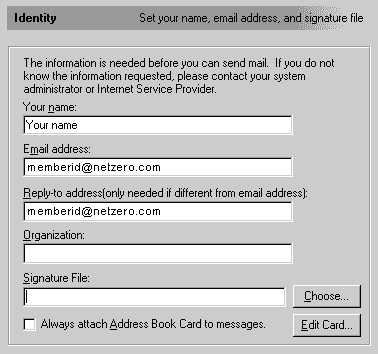 - In the Your Name text box, type your name.
- In the Your Email text box, type your email address.
For example: memberid@netzero.com
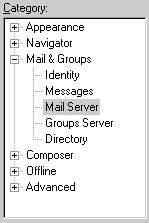 - Under Mail & Groups, select Mail Server.
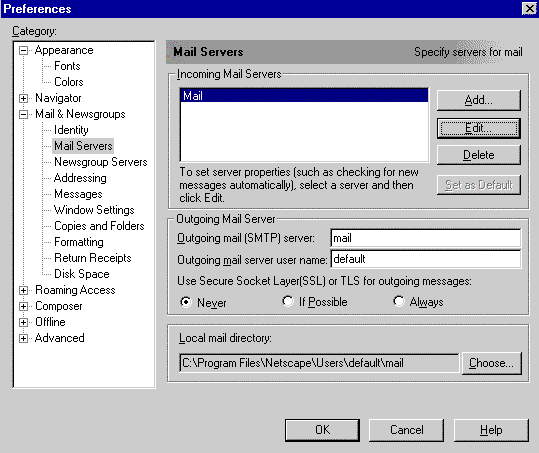 - Under Incoming Mail Servers, click once on Mail to highlight it.
- Click on the Edit button.
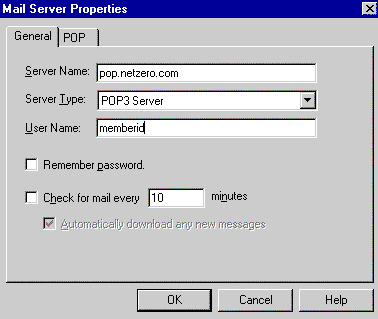 - In the Server Name text box, type in: pop.netzero.com
- In the Server Type text box, select POP3 Server.
- In the User Name text box, type in your NetZero Member ID.
- Select the POP tab.
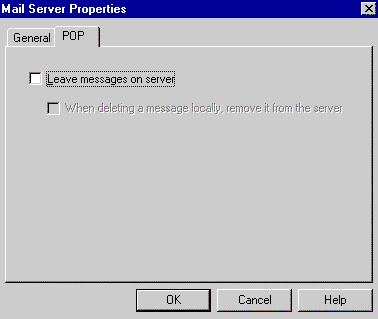 - Ensure that Leave messages on server is NOT checked.
- Click OK.
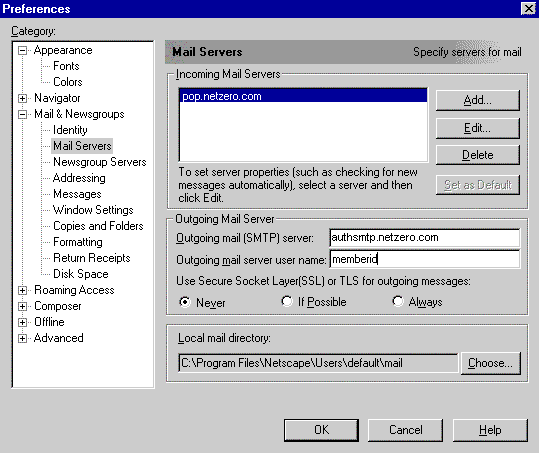 - In the Outgoing mail (SMTP) server text box, type in authsmtp.netzero.com
- In the Outgoing mail server user name text box, type in your NetZero Member ID.
- Under Use Secure Socket Layer (SSL) or TLS for outgoing messages,
select Never. - Click OK to exit.
Additional Help:
| |
|






