Help Center Home

 My Billing Statement

 My Services

 My Password

 Update My Payment Info

 Update My Address

 Upgrade My Account

 Billing Questions

 Connection Issues

 Email Questions

Get NetZero Software

 Safety/Security

 Contact Us

 
Select a different
Operating System

Sending and Receiving

Why do I see a Flash Player message when composing a Video Mail?

Since NetZero uses Flash Player to record and playback video messages, you will need to have it installed on your computer, and have it configured to work with your webcam and microphone.

When you first compose a Video Mail, you will see a message box from Flash Player asking you to allow it to access your camera and microphone. You must click on Allow in order to record your video message. Check the box next to Remember to prevent this message from appearing every time you want to compose a Video Mail.
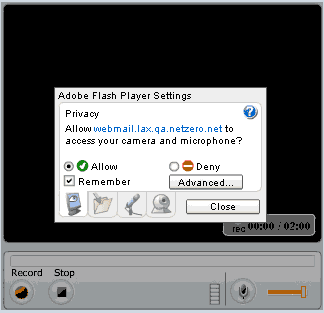
If you select Deny, you not be able to record your message.
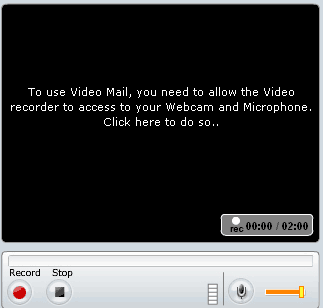
Click here to learn how to configure your Flash Player settings.


NetZero Home | My NetZero | Help | My Account | Corporate | Join Now
About NetZero | About United Online | Our Services | Advertisers | Investors | Press | Privacy Statement | Your Privacy Rights  | Terms of Service

        United Online             FTD        |        Classmates.com        |        MyPoints        |        NetZero        |        Juno        |        MySite        |        FreeInternet.com    

© 1998-2010 NetZero, Inc. NetZero is a registered trademark, and the NetZero logo is a trademark of NetZero, Inc.
NGCV





