How do I configure the Parental Control? In order to configure your Parental Control settings, you will need to be logged in to your computer with Administrator privileges. To change your Parental Control settings: - Start Norton Internet Security, and select the Norton Internet Security tab.
- Click on the Settings bar then click on Personal Firewall under Web Browsing.
- Click on Configure.
- Enter your password when prompted then click OK. If you have not set up a password for Parental Control, create one, re-type it to confirm, and then click OK.
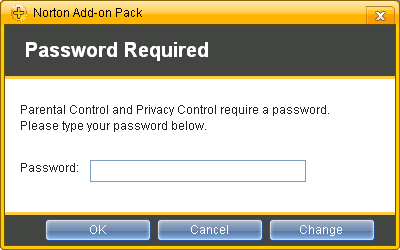 - In the Parental Control User List window, click the drop-down list box next to the user names on your computer and select the setting:
- Child: Has limited access to the Internet but can't change account settings.
- Teen: Has access to more content than the child status but can't change his own settings.
- Adult: Has full access to the Internet and can change settings for his own account but not for anyone else.
- Click OK.
If you need any further assistance, please click here for a list of available support options.
| |




 My Password





