How to Enable or Disable Personal Firewall in Norton Internet Security Online? The Norton Personal Firewall can be enabled or disabled only through an account that has Administrator privileges. To Enable or disable Norton Personal Firewall - Start Norton Internet Security, and select the Norton Internet Security tab
- Click on the Settings bar.
- Click on Personal Firewall under Web Browsing.
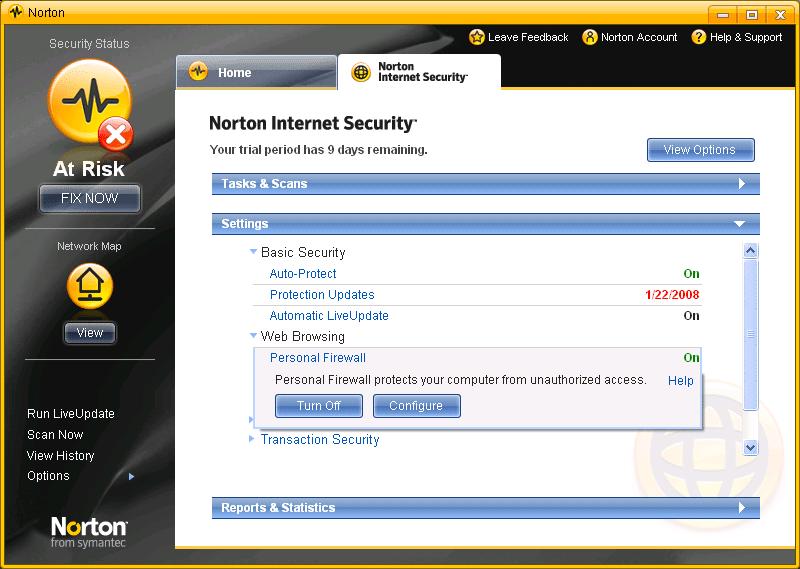
- Click on Configure and select On option to turn on the firewall. To disable the Firewall, click Off.
- Click Ok.
- If Personal Firewall is disabled you'll see a Security Request dialog box. Select how long the firewall should be turned off from the drop down menu and then click OK.
| 



 My Password





