Sending Attachments To send one or more attachments with your email, follow these steps: - While you have your message open, and you are ready to add the attachment, click the Attach File(s).
- Once you find the file you want to attach, select it and click Open.
Notes: - You can attach multiple files at once by selecting the option “Attach multiple files at once and show progress bars (requires Flash)” in Composing section on Messages options page.
- Depending on the size of your selected file, this process could take time as you upload it to NetZero's mail server. Please be patient.
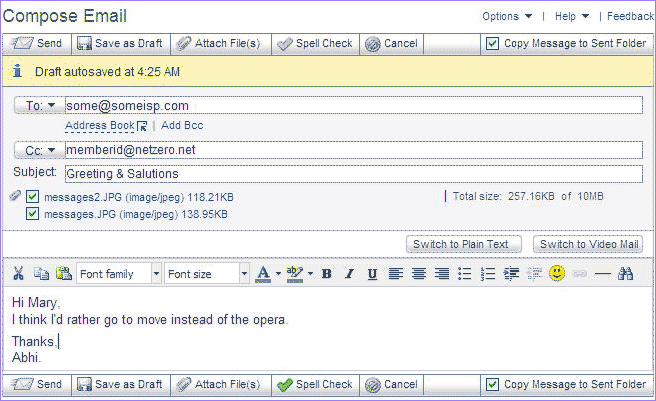
- The name of your uploaded file will appear next to Subject text box, as well as its file size. You can see a running total of the size of your file attachments, as well as how much space remains available for more.
Note: NetZero (with NetZero MegaMail Plus, NetZero MegaMail, NetZero Platinum, and Free) can send outgoing message not exceeding (single message including attachment size) 30 MB, 20 MB, 10 MB, and 10 MB, based on your service level. For more information about attachment limits, click here.- If you want to cancel your attachments, click Cancel.
- If you want to send another attachment, follow the same procedure listed above.
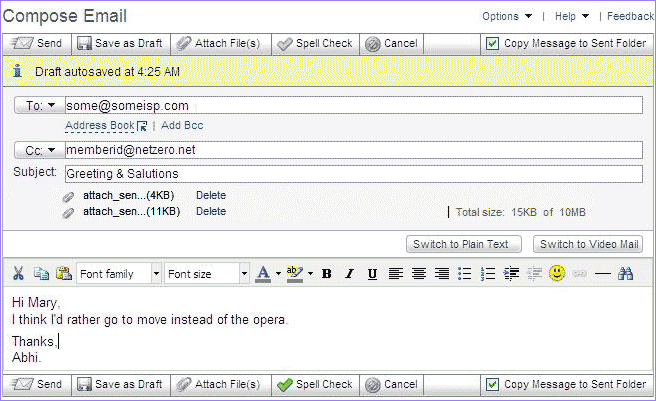
- To remove an attachment either uncheck the box or click the Delete link next to the attachment name.
  - When you are ready to send your attachment(s) along with your message, click Send.
Back to the Main Menu
| |




 My Password





