Common Macintosh Errors / Solutions The application NetZero has unexpectedly quit. This page applies to Mac OS X users only.
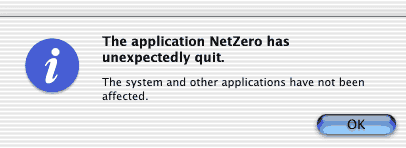 The message "The application NetZero has unexpectedly quit" can appear due to several factors. The following information should help you to identify the cause of the error and resolve this issue. A. Restart your computer Most problems of this nature can be fixed by restarting your computer and running NetZero again. Save your work, close any open programs, then go to the Apple menu and choose Restart. B. Check your disk space If you are short on hard-drive space, the NetZero software may not run properly. You will need to erase unnecessary programs or files to leave yourself at least 15 MB of space before running NetZero. Be sure to back up important data before erasing it! C. Close any open programs There may be a conflict between the NetZero software and another software program running on your machine. To resolve this issue complete the steps below: - Check and see what programs are running by moving the mouse down to the Docking window at the bottom of the screen.

- If one of the program icons has a black arrow underneath it, that program is running in the background.
- To quit the program, hold the control key and click the icon.
- Select Quit.
 - Try your NetZero connection again. If this does not resolve the problem, close NetZero and restart your computer. Repeat Steps 1 through 4, quitting one program at a time. Each time you quit a program, try your NetZero connection again. When you stop receiving the error, the last program you quit is likely the one creating the conflict.
- Once you've found the conflicting program, close it before you logon to NetZero. You can contact the manufacturer to see if they have more information about a solution so you can use both NetZero and this program at the same time.
| 



 My Password





